5 · Energy (EMS)
Open Operate → Energy. The energy console covers demand, cost, carbon, measurement & verification, demand-response and ESG reporting.
5.1 Monitoring demand & circuits
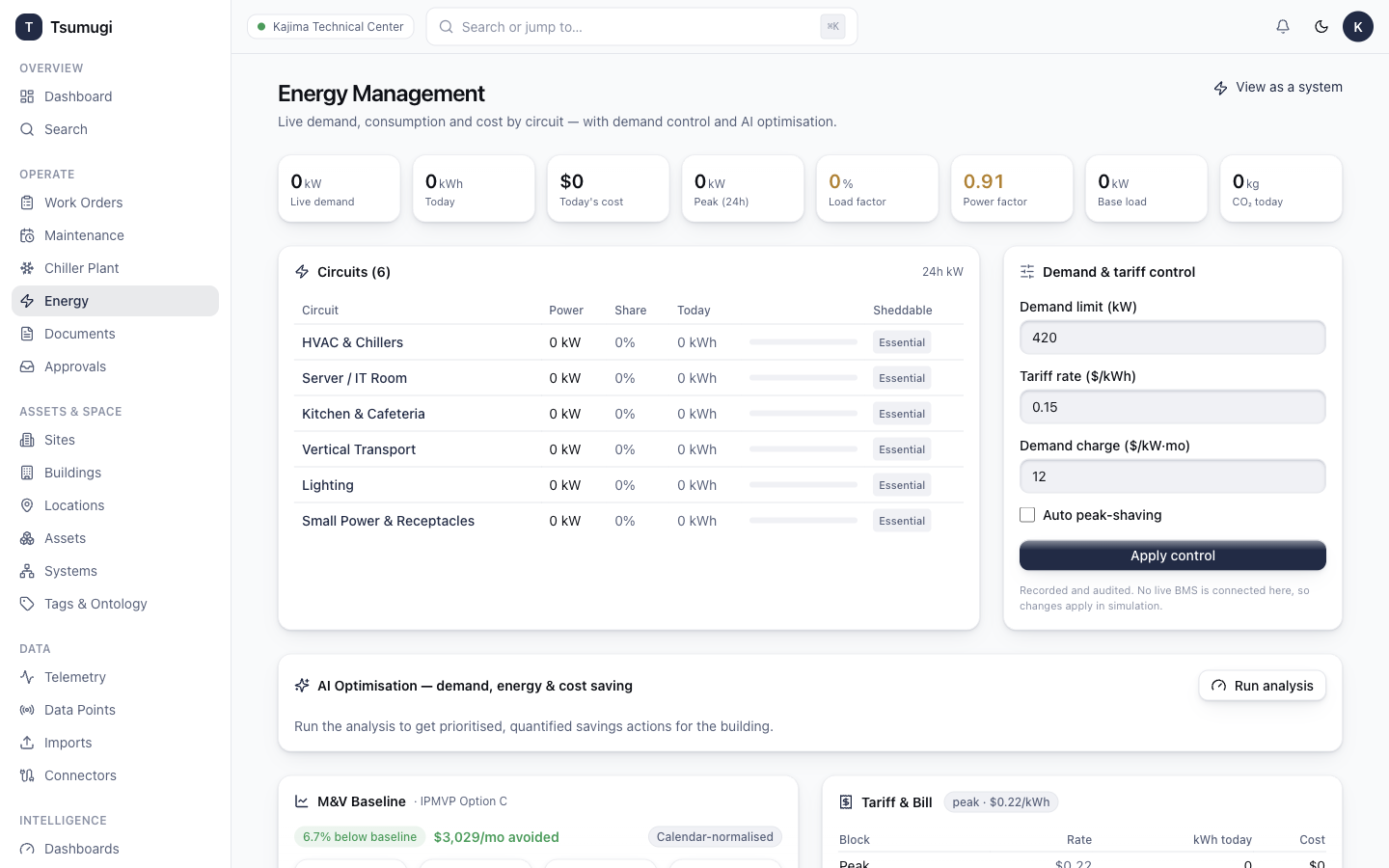
The top KPIs show Live demand (kW), Today (kWh), Today's cost, Peak (24h), Load factor, Power factor, Base load and CO₂ today.
The Circuits table breaks consumption down by meter (HVAC & Chillers, IT, Lighting…) with power, share, today's kWh and a bar. The Demand & tariff control panel (operators only) sets the demand limit, tariff rate, demand charge and auto peak-shaving; click Apply control to save.
To include a circuit in demand-response, toggle it Sheddable in the Circuits table.
5.2 AI optimisation, M&V baseline & tariff
- AI Optimisation — click Run analysis for ranked savings actions with $/month and CO₂.
- M&V Baseline (IPMVP Option C) — the calendar-normalised baseline with R² and CV(RMSE), and how actual consumption compares (avoided vs over baseline).
- Tariff & Bill — the active time-of-use block, today's energy cost by block, demand + fixed charges, and the estimated monthly bill.
5.3 Carbon, demand-response, bills & ESG

- Carbon (Scope 2) — location- and market-based emissions and intensity, with on-track / behind status against the target.
- Demand Response — run a curtailment event:
- Mark circuits Sheddable (Circuits table).
- Set the target shed (kW) and duration (min).
- Click Execute event. The system sheds circuits and reports achieved shed and M&V avoided kWh.
- Bill Reconciliation — enter the period, billed kWh and amount, click Reconcile; the variance vs metered is computed and flagged if it exceeds the threshold.
- ESG / GHG Report — the monthly pack: Scope 1+2, carbon intensity, renewable share, and alignment to Vision 2050plus plus TCFD/GRI/SASB/CDP starter frameworks.
- NILM — a heuristic breakdown of load into HVAC / base / plug / lighting shares.
Next: 6 · Assets & Spaces →